

MAIN TECHNICAL ARTICLE
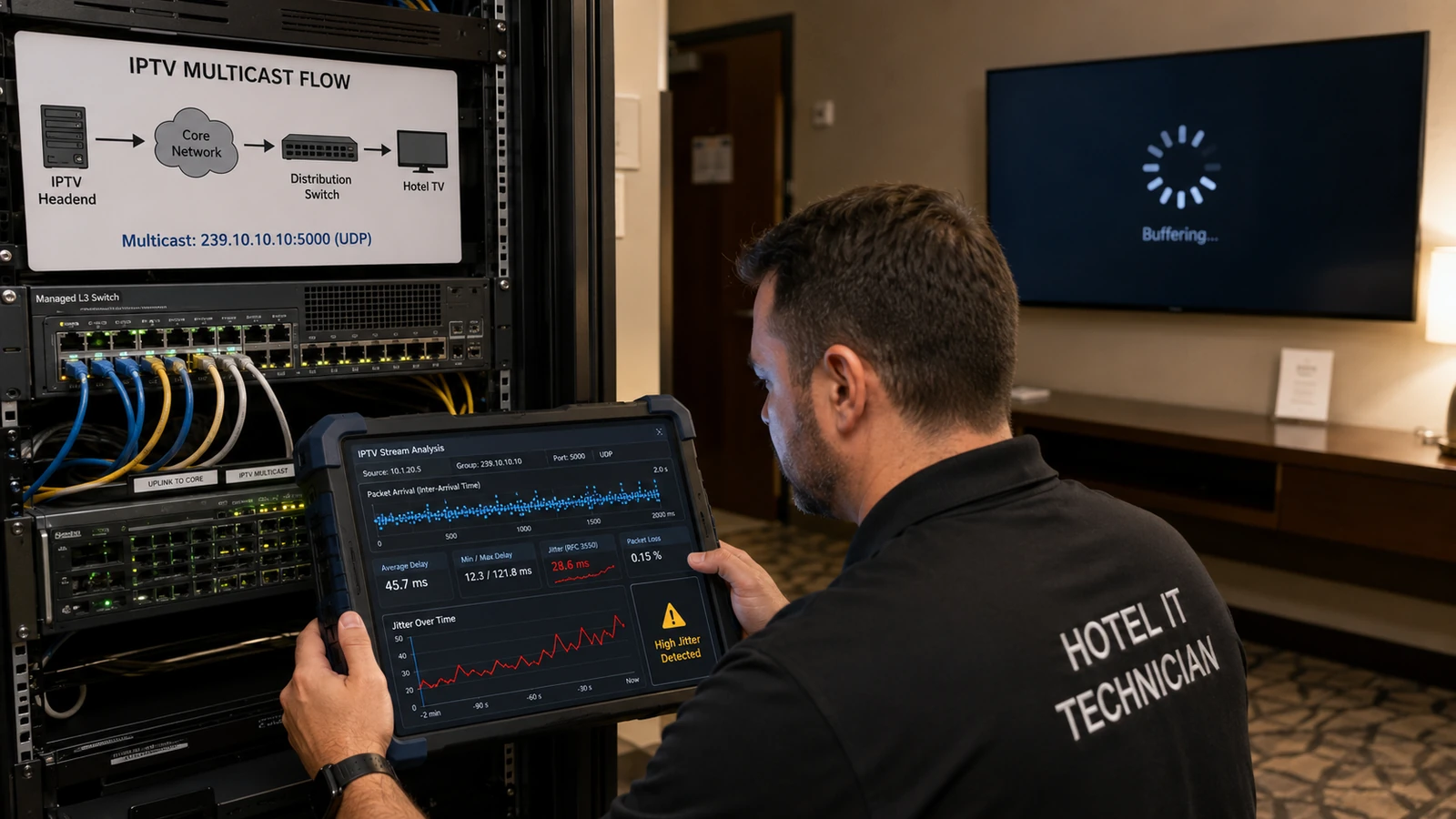
Jitter is variation in packet arrival timing. Live IPTV decoders expect a steady stream even when the average bitrate is correct. Bursty forwarding, congestion, mixed-speed links, wireless contention or poorly paced encoders can make packets arrive too early or too late for the receive buffer. Excessive jitter causes audio breaks, frame skips, delayed channel start or buffer underflow without necessarily showing high average utilization.
How does jitter differ from packet loss in an IPTV network?
Answer: Packet loss means data never reaches the endpoint. Jitter means packets arrive with inconsistent delay and may become unusable if they miss the decoder's playback window. A sufficiently large buffer can absorb limited jitter, but it increases channel-change delay and cannot correct indefinite bursts. Measure inter-arrival variation and buffer underflow events, not only ping latency. Packet captures can show whether packets are present but clustered after pauses.
What network conditions commonly create IPTV jitter?
Answer: Congested egress queues, speed transitions, oversized bursts from encoders, shared Wi-Fi airtime, CPU-loaded software switches and links carrying backup or storage traffic can all disturb packet pacing. Some low-cost switches have shallow buffers and release multicast in bursts. Compare jitter at the headend output and near the endpoint, then inspect queue statistics on the intervening interfaces. A stable source with jitter appearing after one switch identifies the responsible segment.
How should jitter be reduced without making channel switching excessively slow?
Answer: Correct the network cause first: separate heavy traffic, increase capacity, apply sensible QoS and use switches designed for real-time multicast. Configure encoders for smooth packet pacing and avoid unnecessary aggregation bursts. Set endpoint buffers only large enough to absorb the measured residual variation. Test both steady playback and channel-change time, because an oversized buffer can make the service appear unresponsive even though it prevents underflow.