

MAIN TECHNICAL ARTICLE
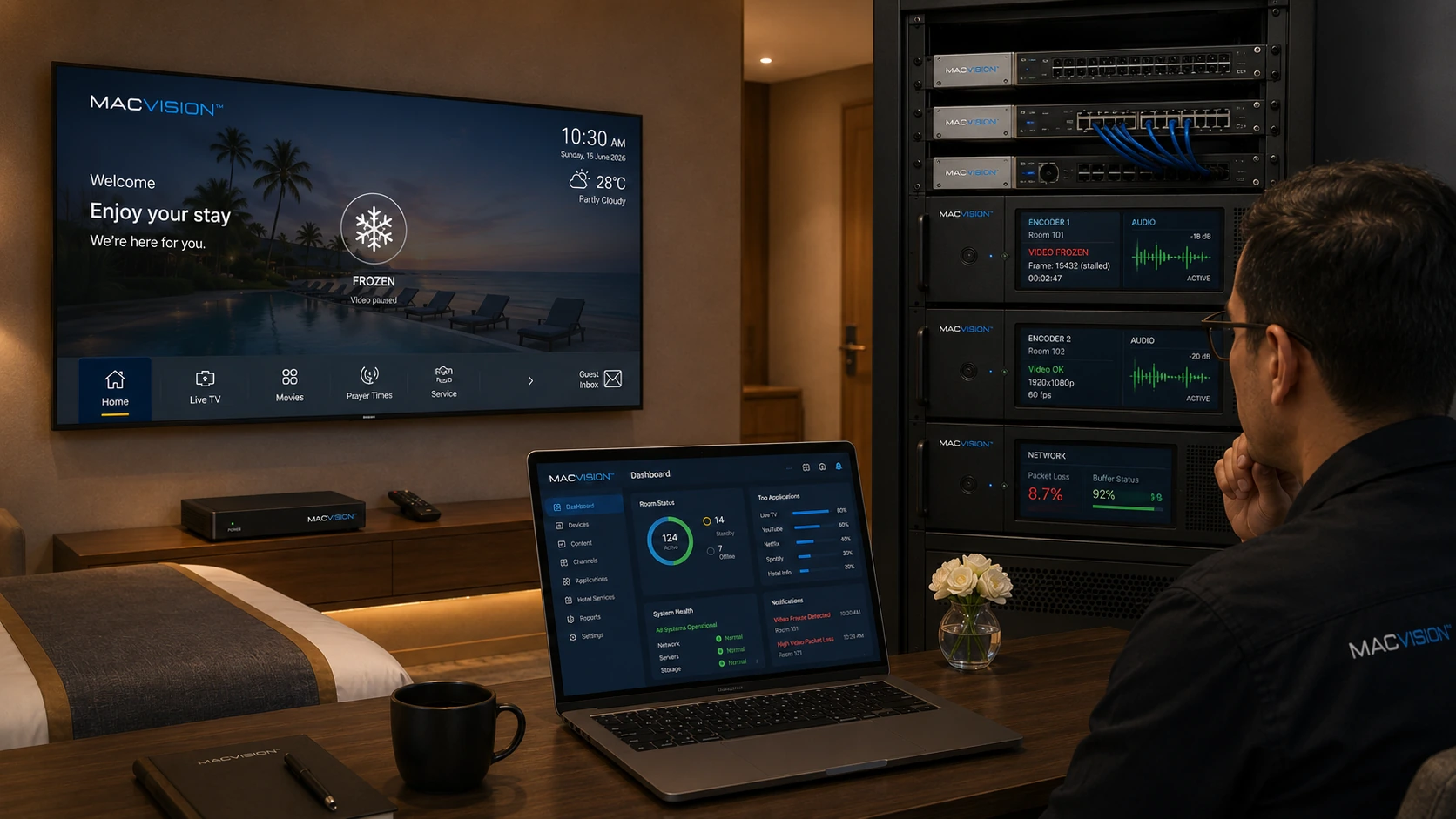
When audio remains clear but video freezes, the fault is usually limited to the video elementary stream, video decoder path or video packet delivery. The incoming broadcast may contain corrupted video packets, the encoder may be overloaded, the selected codec profile may exceed endpoint capability, or larger video packets may suffer loss while lower-bitrate audio survives. The symptom should be tested at the satellite input, headend output and final endpoint to identify where the video path diverges from the audio path.
Why can audio continue when an IPTV picture has frozen?
Answer: Audio and video are carried in separate packetized elementary streams with different bitrates and PIDs. A video encoder can stop producing valid frames while the audio encoder continues, or packet loss can damage large reference frames without noticeably affecting the smaller audio stream. The endpoint may then repeat the last decoded picture while playing current audio. Check the headend preview and transport-stream analyzer for video PID continuity, decoder errors and timestamp progression before assuming the TV panel is defective.
How can a technician locate whether video-only freezing begins at the source or network?
Answer: Compare the original tuner output, encoded stream and endpoint capture at the same time. If the source already contains video continuity or decoding errors, investigate RF reception. If the source is clean but the encoder output freezes, inspect encoder load, input format and hardware acceleration. If the headend output is clean and only remote endpoints fail, capture multicast traffic near the switch and TV to check packet loss, MTU or decoder compatibility. Audio continuity alone cannot prove the network is healthy.
What corrections normally restore video when IPTV audio is still working?
Answer: Repair the specific stage identified by testing: stabilize the source, restart or redistribute an overloaded encoder, reduce an unsupported codec level, correct the video PID or remove network loss. Confirm PCR and presentation timestamps continue correctly and that keyframes are produced at suitable intervals. Test on all supported TV and STB models because a stream accepted by one decoder may fail on another. Monitor the repaired channel long enough to include scene changes and bitrate peaks.