

MAIN TECHNICAL ARTICLE
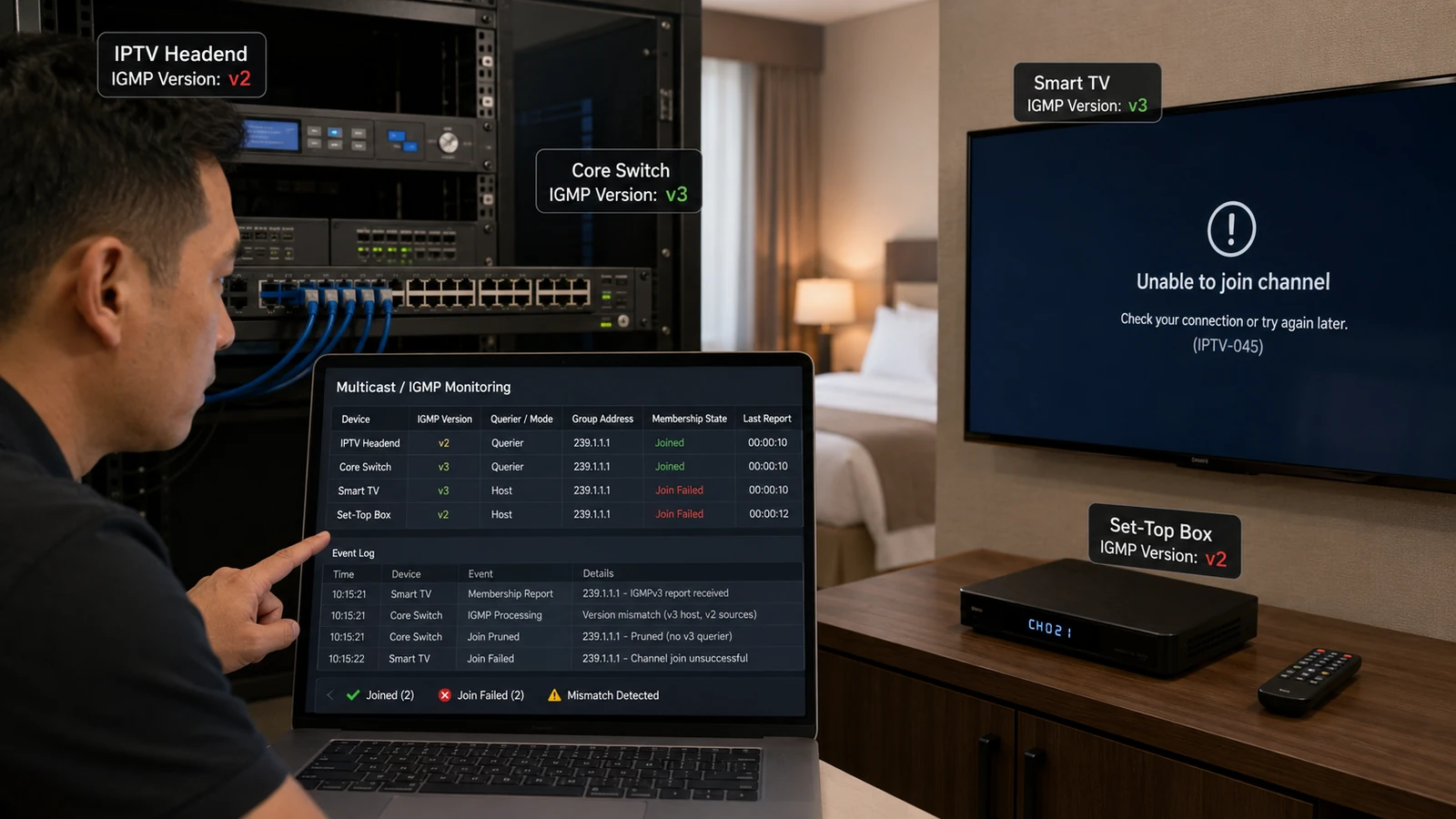
IGMPv1, v2 and v3 use different membership features. Most basic IPTV multicast works with v2, while source-specific multicast depends on v3. If switches, routers and endpoints interpret reports differently, groups may not forward, may not leave promptly or may receive an unintended source. Version compatibility must be checked end to end, especially when one device class works and another does not.
Why can LG TVs receive multicast while a particular STB model cannot?
Answer: The devices may send different IGMP report versions or expect different source-filtering behavior. A switch configured for source-specific multicast can reject a v2-style join, while an older STB may not support the network's v3 policy. Capture the join messages from each endpoint and compare them. Also confirm that the application actually opens the multicast socket on the correct interface; a device issue can resemble a protocol mismatch.
What problems occur when IGMPv3 source filtering is configured incorrectly?
Answer: Receivers may join a group but specify an include list that does not contain the encoder source, so no traffic arrives. Alternatively, an exclude rule can allow an unwanted backup or test source. In networks with duplicate group addresses across controlled sources, source filters are critical. Inspect both group and source in switch and router tables, and make sure middleware URLs or player APIs specify source-specific details where required.
How should an IPTV network select an IGMP version?
Answer: Choose the simplest version that meets the design. IGMPv2 is commonly adequate for any-source multicast inside a controlled LAN; IGMPv3 is required for source-specific multicast and can improve source control. Confirm support on every switch, router, TV, STB and player. Configure compatibility mode only where necessary and test join, leave, failover and simultaneous device operation before standardizing the setting.